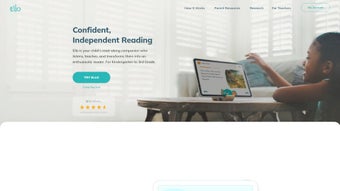

Download Ello – AI‑Powered Reading Coach for Kids, Free Trial, Secure Learning
Overview
Ello is a modern, AI‑driven reading‑coach application designed to turn everyday reading practice into an interactive, data‑rich experience for children aged three to ten. Developed in collaboration with early‑literacy educators, speech‑technology researchers, and child‑psychology experts, the app blends classic story‑time enjoyment with real‑time feedback, adaptive difficulty scaling, and a gamified rewards system. When a child opens Ello, they are greeted by a vibrant, child‑friendly dashboard that highlights the day’s recommended titles, recent achievements, and a quick‑access “Read Aloud” button.
The core engine relies on a sophisticated speech‑recognition model that listens to the child’s voice, evaluates pronunciation, fluency, and pacing, and instantly provides corrective cues through visual highlights and optional audio playback. This immediate feedback loop helps children self‑correct, reinforcing proper phonics while keeping the experience fun and low‑pressure. Beyond the real‑time coaching, Ello continuously analyzes performance metrics—such as accuracy rate, reading speed, and comprehension quiz scores—to adjust the difficulty of subsequent books.
This adaptive learning path ensures that each child is constantly challenged just enough to stay in the “zone of proximal development,” a principle rooted in Vygotskian theory. Parents and teachers benefit from a comprehensive progress dashboard that aggregates data across sessions, presenting trends via easy‑to‑read charts and offering actionable recommendations, such as suggested practice exercises or new book genres to explore. While the base app is free to download and includes a limited library of public‑domain titles, a subscription unlocks an ever‑growing curated collection of age‑appropriate books, advanced analytics, and classroom‑wide reporting tools.
Security is baked into the platform: all voice recordings and personal data are encrypted both in transit and at rest, and the app complies with COPPA and GDPR regulations, giving caregivers confidence that their children’s information remains private.
Key Features
- Real‑Time Speech‑Recognition Engine: An on‑device AI model evaluates pronunciation, intonation, and pacing, delivering instant visual and auditory correction cues.
- Adaptive Learning Pathway: Dynamic difficulty adjustment based on reading accuracy, speed, and comprehension results, keeping challenges appropriate.
- Personalised Book Subscription: Monthly delivery of new, curated titles matched to the child’s reading level and interests, with multilingual options.
- Gamified Rewards System: Stars, badges, and virtual stickers are awarded for milestones, fostering intrinsic motivation and healthy competition.
- Progress Dashboard for Adults: Interactive charts, weekly summaries, and printable reports help parents and teachers track growth over time.
- Interactive Read‑Aloud Mode: Tap any word to hear its correct pronunciation, useful for unfamiliar vocabulary and reinforcing phonics.
- Secure Cloud Sync: Encrypted backup of profiles, progress data, and preferences, allowing seamless transition between devices.
- Multi‑Language Support: Content available in English, Spanish, and French, with the ability to switch languages per profile.
- Classroom Integration: Teachers can assign books, monitor class‑wide performance, and generate custom reports for parent‑teacher conferences.
- Offline Reading Capability: Once a book is downloaded, children can read without an internet connection; sync occurs when connectivity returns.
Each feature has been engineered with a specific educational outcome in mind. For example, the speech‑recognition engine not only flags mispronounced words but also logs error patterns, enabling the system to suggest targeted phonics exercises. The adaptive learning pathway relies on a proprietary algorithm that weighs multiple metrics—accuracy, speed, and comprehension—to decide whether to present a slightly harder text, a review of previously mastered material, or a short, confidence‑building story. The rewards system, while playful, is grounded in behavioral science: children receive immediate reinforcement for effort, which research shows improves persistence in early readers. Together, these features create a cohesive ecosystem that supports independent learning while keeping adults informed and reassured.
Installation & Daily Usage
Step‑by‑Step Installation Guide
Installing Ello is designed to be frictionless for both tech‑savvy and less‑experienced caregivers. Begin by opening the Apple App Store on iOS devices or Google Play Store on Android devices and searching for “Ello Reading Coach.” Tap the “Get” or “Install” button; the download typically completes within 30‑60 seconds on a standard broadband connection. After the app installs, launch it and grant the required permissions—microphone access for speech analysis, storage permission for offline book caching, and notifications for progress alerts. The onboarding wizard then walks you through creating a child profile: you’ll input the child’s name, age, current reading level (or select “Beginner” if uncertain), and language preference. A brief calibration exercise follows, where the child reads a short, pre‑selected passage aloud; this allows the speech engine to capture a baseline voice profile, ensuring subsequent accuracy in pronunciation assessment.
First Reading Session
Once onboarding is complete, the home screen displays the “Today’s Picks” carousel, showcasing three books curated for the child’s level. Selecting a title opens the interactive reader. At the top of each page, a progress bar indicates how much of the chapter remains, while a subtle “Play” button offers a narrated version for children who prefer listening.
As the child reads aloud, the AI monitors vocal input in real time. Mispronounced words flash in red, accompanied by a short audio cue and a visual tooltip that spells the word phonetically. The child can tap the highlighted word to hear it spoken correctly, then retry the passage.
After each page, a quick comprehension quiz—typically three multiple‑choice questions—appears, reinforcing comprehension and providing another data point for the adaptive algorithm.
End‑of‑Session Summary and Ongoing Use
Upon completing a reading session, Ello automatically generates a concise summary that is pushed to the parent’s device. This summary includes total reading time, accuracy percentage, new words learned, and suggested next steps (e.g., “Practice the “th” sound” or “Explore the adventure series next week”). The child’s earned points are added to their weekly leaderboard, which can be viewed by all family members or classmates if the app is used in a school setting.
For teachers, the classroom dashboard aggregates individual student data into class‑wide metrics, highlighting overall progress and identifying students who may need additional support. Subscription management is handled within the Settings menu, where users can upgrade, pause, or cancel the monthly plan, as well as adjust notification preferences and data‑sharing options. The overall workflow is intentionally streamlined: children can focus on reading, while the technology works quietly in the background, capturing data and delivering feedback without interrupting the narrative flow.
Compatibility, Pros & Cons
Ello is compatible with iOS 13 or later and Android 8.0 or later, supporting both smartphones and tablets. The responsive design adapts to various screen sizes, offering a full‑screen reading mode on larger tablets and a compact, thumb‑friendly layout on phones. A web‑based portal is also available for educators who prefer to access class reports and assign books from a desktop computer. Because the core speech‑analysis and adaptive algorithms run locally on the device, only an internet connection is required for the initial download, subscription sync, and periodic library updates. This offline capability makes Ello a viable option for schools with limited bandwidth or households with intermittent connectivity.
Pros
- Instant, AI‑driven feedback accelerates pronunciation improvement.
- Adaptive learning keeps content challenging yet achievable, reducing boredom.
- Gamified rewards sustain engagement and encourage regular practice.
- Secure cloud sync protects privacy while enabling seamless multi‑device use.
- Comprehensive teacher dashboard simplifies classroom integration and reporting.
- Multilingual support expands reach to bilingual families and language learners.
- Offline reading ensures uninterrupted practice even without internet.
- Regularly updated book library keeps content fresh and relevant.
Cons
- Full library access requires a recurring monthly subscription, which may be a budget consideration.
- Speech‑recognition accuracy can vary with strong regional accents or background noise.
- Initial voice calibration takes a few minutes, potentially challenging for very young children.
- Advanced analytics and detailed progress reports are locked behind the premium tier.
- Limited number of free titles may restrict early exploration before committing to a subscription.
Frequently Asked Questions
Is Ello safe for children’s personal data?
Yes. Ello adheres to COPPA and GDPR guidelines. All voice recordings, progress data, and personal details are encrypted in transit (TLS) and at rest (AES‑256). The app does not sell or share data with third‑party advertisers.
Can I use Ello without a paid subscription?
A free tier is available, offering a limited selection of public‑domain books and basic pronunciation feedback. To unlock the full curated library, adaptive learning analytics, and classroom reporting, a monthly subscription is required.
How does the adaptive learning algorithm determine the next book?
The algorithm analyzes three core metrics: pronunciation accuracy, reading speed, and comprehension quiz performance. It then calculates a difficulty score and selects a book that is slightly above the current level, ensuring the child is continuously challenged but not overwhelmed.
Do I need an internet connection for every reading session?
No. Once a book is downloaded to the device, the reading session can be completed entirely offline. An internet connection is only needed for syncing progress, receiving new book updates, and managing the subscription.
Can I manage multiple child profiles on a single device?
Absolutely. Ello supports unlimited child profiles. Each profile maintains its own reading history, rewards, and personalized book queue, making the app ideal for families with several young readers.
What languages are currently supported?
Ello currently offers content and speech‑recognition support in English, Spanish, and French. Additional languages are slated for future releases based on user demand.
Conclusion & Call to Action
Ello stands out in the crowded market of educational apps by combining cutting‑edge AI with proven literacy‑development methodologies. Its real‑time speech feedback, adaptive difficulty scaling, and engaging gamified rewards create a learning environment where children feel empowered to read more often and improve faster. Parents appreciate the secure cloud sync and transparent data policies, while teachers benefit from robust classroom dashboards that turn raw performance data into actionable insights.
Although the subscription cost may be a consideration, the value delivered—personalized content, detailed analytics, and continuous library updates—often outweighs the expense for families committed to fostering strong early literacy skills. If you’re looking for a secure, scalable, and fun reading coach that grows alongside your child, Ello is a compelling choice. Download the app today, explore the free tier, and experience firsthand how AI can transform reading practice into an enjoyable, results‑driven adventure.



.png)



